Build
Onboarding
Get a new user from install to the moment your app proves itself, in their first minute.
Read the lessons you need, then work through the checklist your own way.
Build
Get a new user from install to the moment your app proves itself, in their first minute.
Read the lessons you need, then work through the checklist your own way.
Onboarding is everything between install and the first time your app proves itself. Most people who install an app never open it a second time, so these first screens decide who stays.
The first win is the first moment a new user gets what they came for. Not a sign-up, not a tour: the real thing, small. For a lifting app that's seeing how your bench press ranks. Name yours in one sentence, and get there within a minute.
The first session
Asking for things
Coming back
Two choices shape your whole onboarding. Answer them, then write your plan.
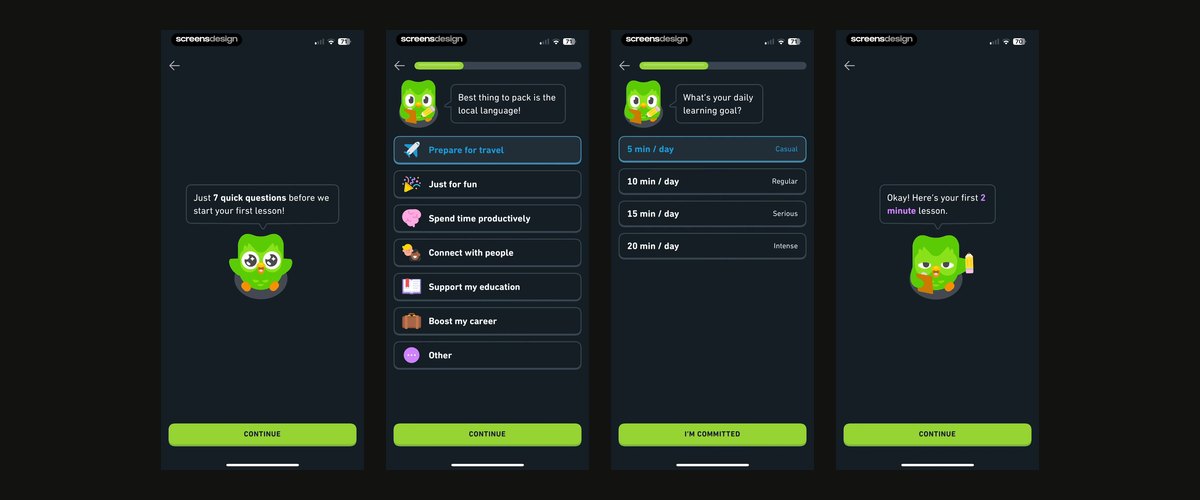
Find apps like yours on ScreensDesign ↗ or Mobbin ↗, then write your plan:
Read docs/PRD.md. Create docs/ONBOARDING.md: the first win in one sentence, then every screen from first open to that win, one line each: what it asks or shows, and why the first win needs it. Put login and every permission after the first win unless the win needs them. End on the paywall.
Then cross out every screen that doesn't lead to the first win.
Start with `/clear`, then plan and build it in one go. Want help with the questions and copy? The onboarding questionnaire skill in the tools below writes them like top subscription apps do.
/plan Build the onboarding in docs/ONBOARDING.md. One question per screen, taps before typing, a progress bar and a back button. Show the user's answers back to them as their plan before the first win, then the paywall. Save that onboarding is done, so it only shows once, and add a Reset onboarding button in settings that only shows in development.
Our favorite tools
 ScreensDesign ↗Real onboarding, recorded screen by screen.
 Page Flows ↗Whole user flows from top apps, onboarding included.
 Mobbin ↗Onboarding flows of shipped apps, sorted by category.