Set up
Setup
Seven short steps, from an empty computer to your first app on your phone.
Set up
Seven short steps, from an empty computer to your first app on your phone.
VS Code is the app you build in: your files, your code and a terminal in one window. Already use Cursor, Windsurf or Zed? The steps are almost the same.
apps.Done when VS Code is open on your apps folder.
 Stuck? Watch someone do this stepInstall VS Code on Windows, macOS and LinuxSkillRecall
The terminal is where you type commands. Type one, press Enter, and it answers. Mac calls it Terminal, Windows calls it PowerShell.
pwd        # where am I?
ls         # what's in this folder? (dir also works on Windows)
cd apps    # go into the folder apps
cd ..      # go back up one folder
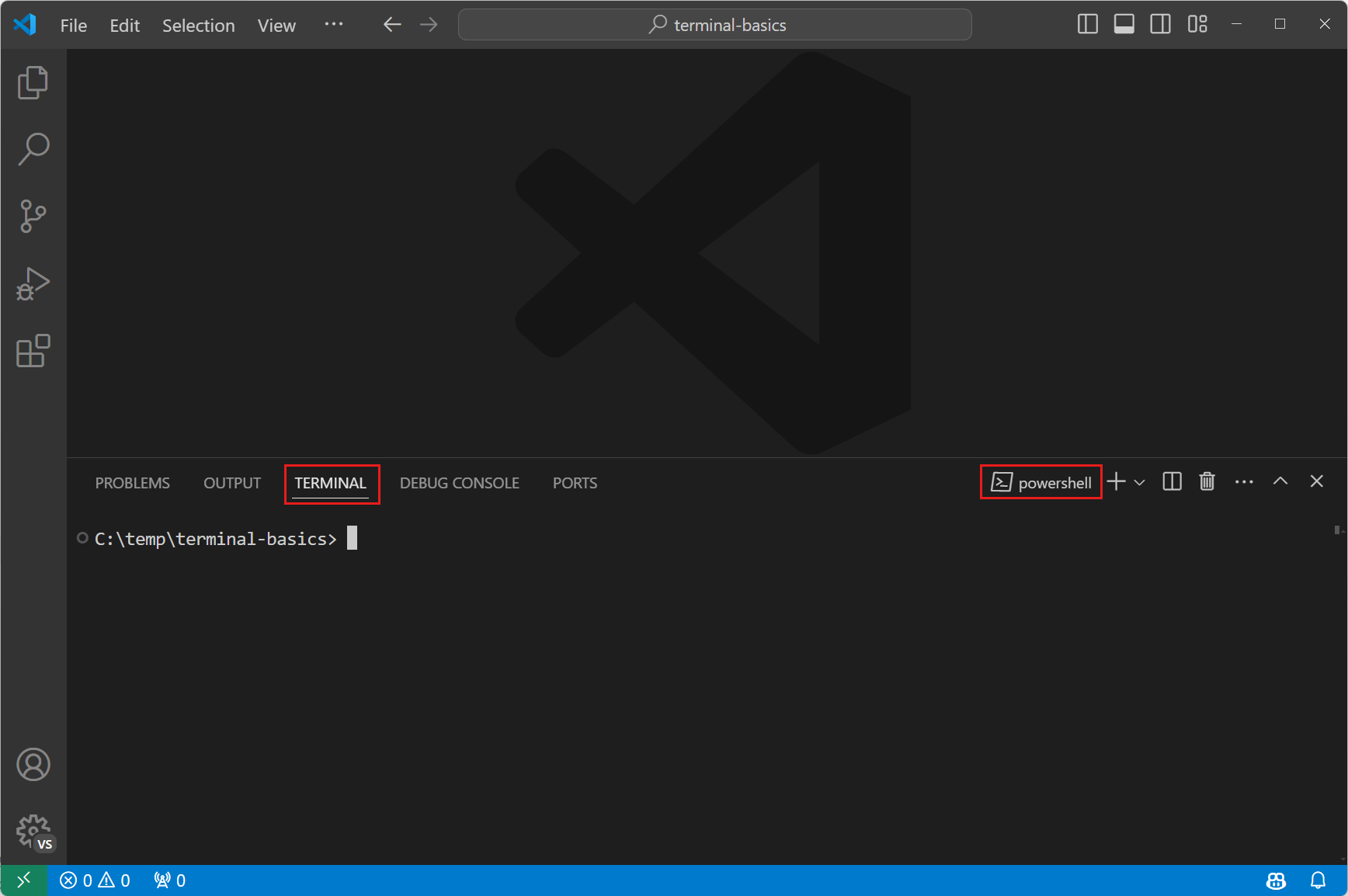
pwd✓ It prints your apps folder. The terminal works.
Done when The terminal at the bottom prints your apps folder.
 Stuck? Watch someone do this stepHow to open the terminal in VS CodeThe Code City
Git saves snapshots of your project, like save points in a game. Each snapshot is a commit, and your folder with all its snapshots is a repo.
xcode-select --installWindowswinget install --id Git.Git -egit --version✓ git version 2.x. Git is installed.
Done when git --version prints a version number.
 Stuck? Watch someone do this stepHow to install Git on Mac and WindowsThe Common Coder
Node.js runs JavaScript on your computer. You never open it, but Expo and your agent need it. It comes with npm, which installs packages.
winget install OpenJS.NodeJS.LTSnode -v✓ v20 or higher. Node is installed.
Done when node -v prints v20 or higher.
 Stuck? Watch someone do this stepHow to install Node.js (2026)DevWithSameer
Claude Code is your AI agent. It works in your project: it reads files, edits code and checks the result. You decide, it types.
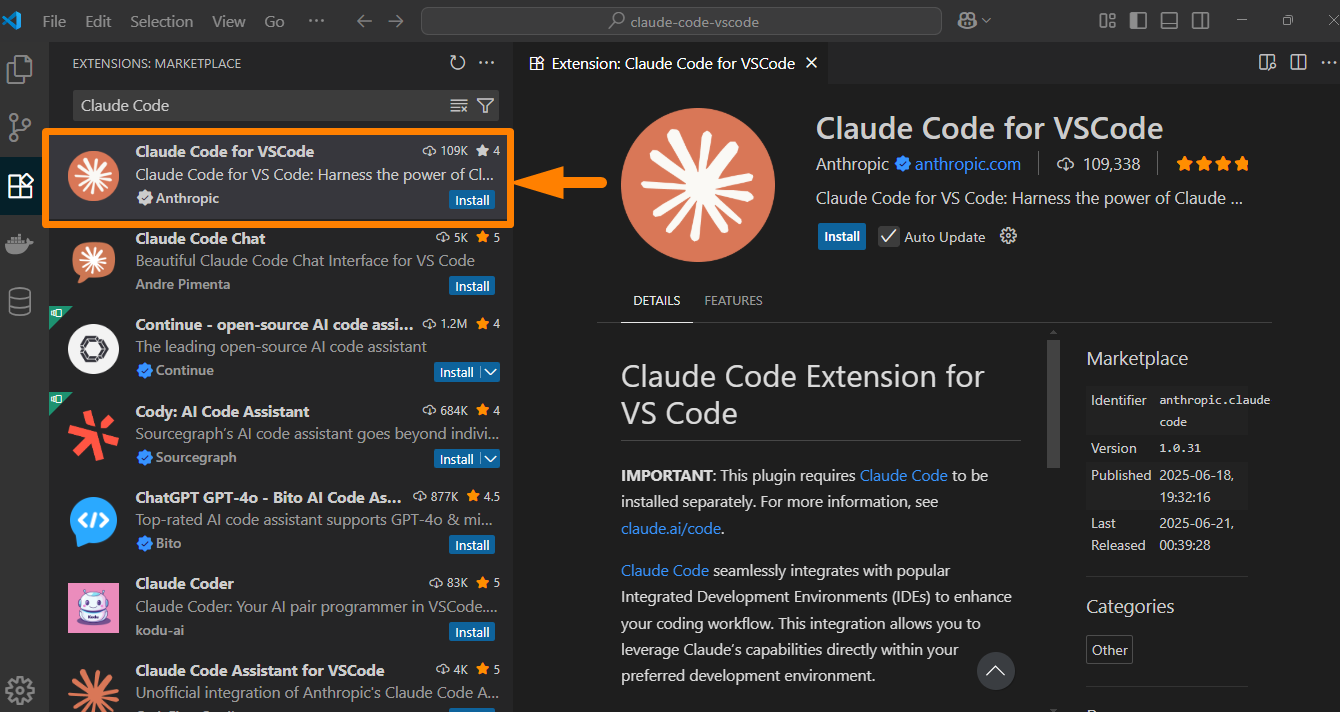
/usage to see what's left. Hitting it most days? That's when Max ($100 a month) pays off.✓ It answers in the panel. Your agent is ready.
Done when Claude Code answers in its panel.
 Stuck? Watch someone do this stepHow to install the Claude Code extension in VS CodeJamie Nudelman
Expo turns your code into an iPhone and Android app. The free Expo Go app shows it on your phone while you build.
npx create-expo-app@latest my-app
cd my-app
npx expo start
.claude folder that turns on Expo's plugin for Claude Code. You'll add to them in Tools and rules.Done when Your app is open on your phone.
 Stuck? Watch someone do this stepHow to start your first Expo project in 2 minutesExpo
GitHub keeps your snapshots online. Free, private if you want, and your work survives a broken laptop.
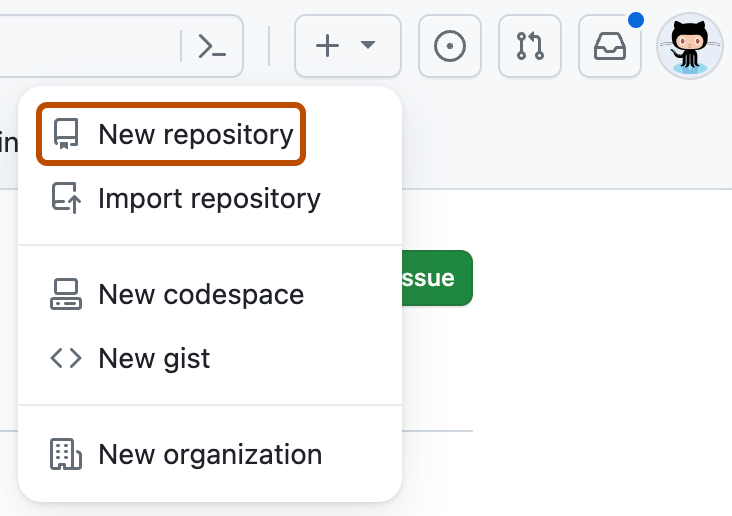
.gitignore in VS Code and add a line at the bottom that says .env. Expo's own list leaves it out, and later chapters keep keys there.git config --global user.name "Your Name" git config --global user.email "you@example.com"
git init
git add .
git commit -m "First commit"
git remote add origin https://github.com/you/my-app.git
git push -u origin HEAD
git remote -v✓ Two lines with github.com/you/my-app. You're connected.
my-app. From here on, you and Claude Code work in this folder.Done when Your project is on GitHub.
 Stuck? Watch someone do this stepUpload a project to GitHub from VS Code (2026)The Code City